The HVAC Independent Contractor’s Toolkit: From Job Assignment to Final Sign-Off
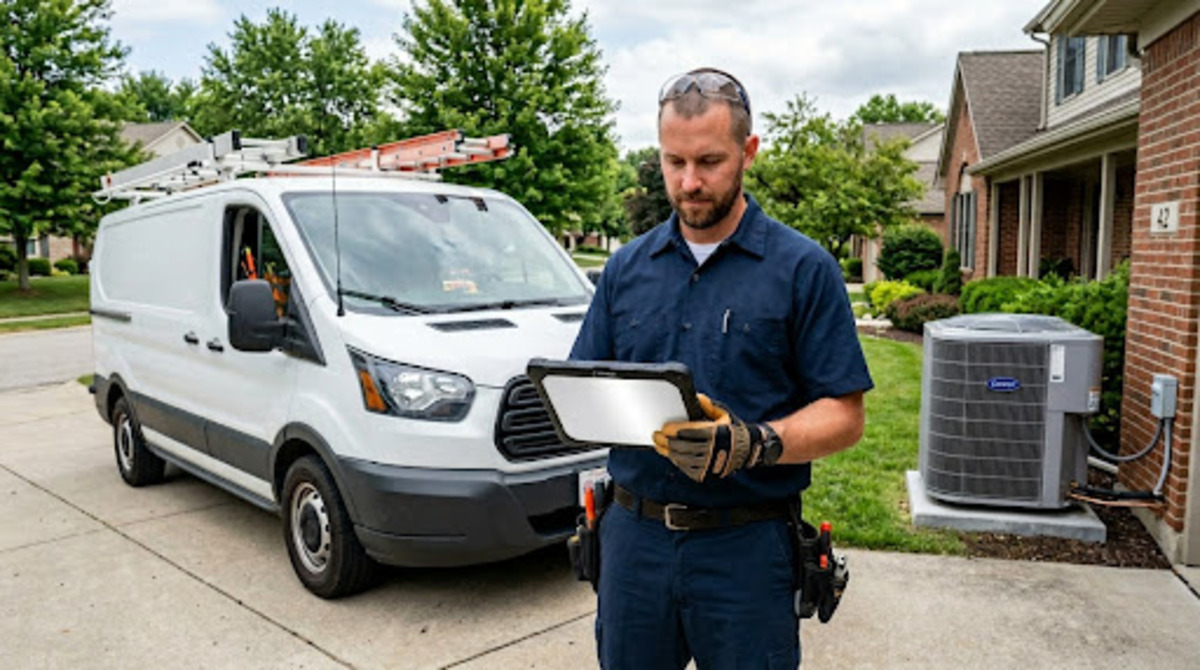
Picture this. You finish a condenser swap at 3 PM on a Thursday. The customer is happy. The job looks clean. And then you spend 30 minutes on hold with the office waiting for someone to approve the invoice before you can send it.
Sound familiar? It should. That 30 to 45 minute delay between job completion and invoice sign-off is one of the most expensive problems in the HVAC industry. It doesn’t just slow your cash flow; it eats your schedule.
Independent HVAC contractors don’t have a back-office team. You’re running the whole show: the service calls, the estimates, the parts runs, and yes, the billing. If your tools can’t keep pace with you, you’re working twice as hard for the same money.
Here’s how to fix that tool by tool, stage by stage.
Table of Contents
Stage 1: Getting the Job Without the Confusion
Every job starts somewhere. Maybe a homeowner calls in. Maybe a property manager sends a request. Either way, how that job reaches you matters more than most contractors realize.
The problem with verbal dispatch (or worse, a group text) is that key details fall through the cracks. No address confirmation, no scope notes, no customer history. You show up expecting a tune-up and find out the system hasn’t run since 2019.
A digital work order changes that. Before you leave the driveway, you should know:
- The full service address and access notes.
- The customer’s equipment list and service history.
- The scope of work and any special instructions.
- Any parts you need to bring or order.
Good scheduling software built for contractors, not big corporate offices, keeps all of this in one place. If you’re still sorting out what works for your operation, it’s worth looking at how other field service businesses are approaching job scheduling software for field teams; the features that matter most aren’t always the flashiest ones.
Stage 2: The On-Site Estimate — Build It While You’re Standing There
Here’s the thing about HVAC estimates: they’re almost always better when you do them onsite. You can see the unit, check the refrigerant, and spot the issues that don’t show up in a phone call. And the best time to get a customer to approve an estimate is right there in their living room, before they’ve had a chance to call two other contractors.
Your estimate tool needs to let you do the following:
- Build a quote from your phone in under five minutes
- Pull from a parts and labor price book so you’re not guessing margins
- Present it to the customer onscreen and collect their digital approval
- Convert it to a work order automatically once they say yes
That last part is important. If your estimate and your work order are two separate systems, you’re entering the same data twice. That’s not a workflow; that’s a liability waiting to happen.
For HVAC contractors, solid estimating also depends on how well you know your trade, the tools in your hands, and the pricing in your system. Just like the physical tools and leading brands that top tradespeople swear by, your software tools deserve the same level of care.
Stage 3: Document As You Go, Not After
This is where independent contractors lose money without even knowing it.
You swap a capacitor. Maybe you find a refrigerant leak you didn’t expect. You add 45 minutes of labor chasing a fault code. If none of that gets logged in real time, it either doesn’t make it onto the invoice or you add it from memory two days later and forget half of it.
The discipline of documenting as you go pays off at every stage:
- Photos before and after protect you from disputes
- Notes on parts used feed directly into the invoice
- Timestamps on start and finish protect you from losing money on hourly work
- Equipment details tied to the customer record mean future visits start with full context
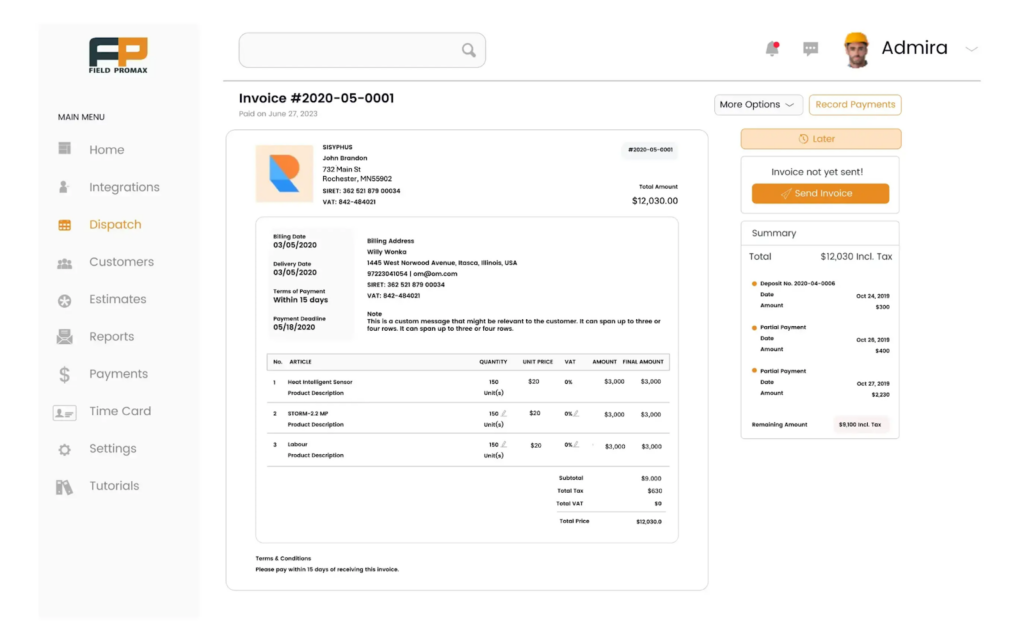
Tools like Field Promax let contractors log all of this inside the work order as the job unfolds: notes, photos, labor time, and parts used so the invoice builds itself by the time you’re wrapping up. This is also where time tracking earns its keep. Tracking field time accurately isn’t just a payroll task, it’s what feeds into every pay period. When that data is clean, running it through a paystub generator at the end of the week takes minutes instead of turning into a reconciliation headache.
What HVAC Contractors Actually Say About the Sign-Off Problem
Talk to enough HVAC contractors, and you hear the same frustration: the job is done, but the invoice is stuck.
In contractor communities, this comes up constantly: technicians calling the office from their truck, waiting for a manager to approve the invoice before they can leave the site. One contractor described it plainly: always communicating, juggling, and shifting tasks around. Not knowing for sure if the next job is going to happen because you’re still wrestling with the last one.
For independent contractors, this is even messier. You don’t have a dispatcher. You are the dispatcher. Every call you make back to yourself is time you’re not billing.
The root issue is a lack of field authority. When a tech can’t approve their own invoice from the job site, the whole system slows down. The fix isn’t stricter processes; it’s better tools that give the person on the ground what they need to close a job without a phone call.
Industry research backs this up. Invoices sent within the first 10 days of job completion are much more likely to get paid on time. Every day of delay stretches your payment cycle. For independent contractors running on tight margins, that math matters.
Stage 4: Job Sign-Off — What It Needs to Include
A job sign-off isn’t just a customer’s signature. Done right, it’s a record of what happened, a protection against disputes, and the trigger that sends your invoice.
Here’s what a solid HVAC sign-off should capture:
- Work completed with a clear description of what was done, not just a job code
- Parts used, itemized, not just a lump parts charge
- Before and after photos attached to the work order
- Time on site, clocked in and out
- Customer signature on the completed work order, collected digitally
- Any follow-up recommendations or warranty notes
The customer signature is the piece that most contractors skip or do loosely. A verbal “looks good” is not a sign-off. If you’re ever in a payment dispute, a digital signature tied to a timestamped work order is the only thing that protects you.
The good news: most field service management apps let customers sign directly on your phone screen or receive a link to sign remotely. No printing, no scanning, no back-and-forth.
Stage 5: Invoicing From the Field, Not the Office
Let’s face it: if you’re driving back to the office to send an invoice, you’re leaving money on the table with every mile.
Mobile invoicing is a must for independent HVAC contractors in 2025. Your invoice should go out before you back out of the customer’s driveway. Here’s what that process looks like when your tools are set up right:
- The work order you built on arrival pre-fills most of the invoice
- Labor hours pull from your time tracking
- Parts used are pulled from what you logged during the job
- A few taps, a review, and it’s sent
For independent contractors who use QuickBooks, look for a field management tool that syncs directly so you’re not re-entering invoice data manually. That’s a full category of errors you eliminate before they happen.
If you want to know whether your invoicing speed and billing accuracy are actually moving your business forward, tracking a few key performance indicators can show you where the gaps are. Most successful field service businesses use KPI dashboards to catch those blind spots.
Your Toolkit Needs to Talk to Itself
The biggest mistake independent HVAC contractors make with their tools isn’t using the wrong ones. It’s using the right ones that don’t connect.
A scheduling app that doesn’t talk to your invoicing tool. An invoicing tool that doesn’t pull from your parts log. A parts log that lives in your head. This is how jobs fall through the cracks, not because of bad work, but because of bad handoffs between systems.
What you want is a single source of truth for every job. The work order that starts as a dispatch becomes the estimate, then the job record, then the invoice. Every stage feeds the next. You don’t reenter anything.
That’s not magic; it’s just what modern field service management software does when it’s built right.
A Quick Checklist: Is Your Toolkit Covering All Five Stages?
Run through these. If you’re hitting gaps, that’s where your admin time and cash flow are leaking.
1) Job assignment: Do you get full job details before leaving the driveway?
2) Onsite estimates: Can you build, present, and get approval on your phone?
3) Job documentation: Are photos, notes, parts, and time being logged as you go?
4) Job sign-off: Are you collecting a digital customer signature before you leave?
5) Invoicing: Is your invoice going out from the job site, not the next morning?
If you answered no to more than two of those, your tools are slowing you down.
The 30-Minute Problem Has a Fix
Independent HVAC contractors don’t have time to babysit their admin. You’ve got jobs to run, parts to source, and customers who called you because you’re the one who shows up and gets them done.
The right toolkit doesn’t add them; it removes them. Every stage of a job that flows directly into the next is a call you don’t have to make, a piece of data you don’t have to enter twice, and a dollar you don’t leave on the table waiting for a sign-off that should have happened onsite.
Get the tools right. The jobs take care of themselves.
FAQs
-
What tools do independent HVAC contractors need to manage jobs and invoicing?
At minimum, you need a tool that covers work order management, onsite estimating, time tracking, mobile invoicing, and digital payment collection. The best option is a field service management platform that handles all five in one connected system so data flows from job assignment to invoice without manual re-entry.
-
How can HVAC contractors get invoices approved faster?
The fastest path is to give field contractors the authority to build and send invoices from the job site. Pair that with digital customer sign-off (collected onsite via a mobile app), and invoices go out the moment the job is complete, not hours or days later. Tools that sync with QuickBooks eliminate the second step of accounting entry.
-
What should a job sign-off include for HVAC contractors?
A complete HVAC job sign-off should include a description of work completed, parts used (itemized), before-and-after photos, time on site, any warranty or follow-up notes, and the customer’s digital signature. This creates a timestamped record that protects you in any billing dispute.
-
Why do HVAC invoices get paid late, and how do I prevent it?
Delayed invoicing is the most common reason HVAC invoices get paid late. Contractors who invoice within the first 10 days of job completion are much more likely to get paid on time. The fix is mobile invoicing: build the invoice during or right after the job, collect digital payment or authorization onsite, and follow up automatically for any balance due.
